
Claude Code & ChatGPT
Your AI, connected to the page you’re working on.
Couldn't load this page.
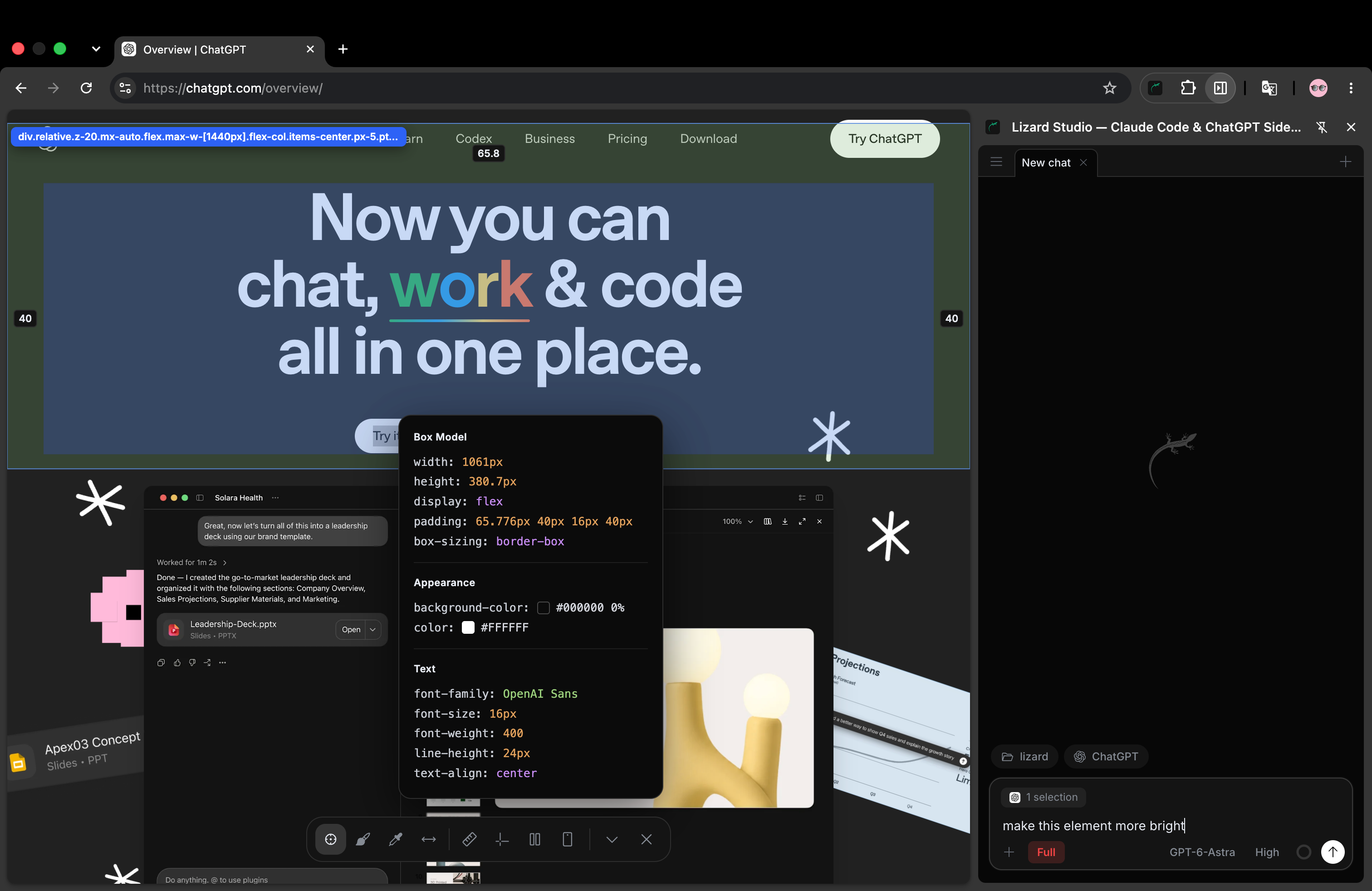
A free Chrome extension for Claude Code and ChatGPT. Select an element, inspect the page and ask your agent to edit the code in your local project.
Your AI, connected to the page you’re working on.
Send the exact element, with its styles.
src/components/Hero.tsx:12:export function Hero()Lizard Studio{"x":24,"y":112,"width":480,"height":144}✓ built in 2.14sInspect the DOM, console and network in place.
Measure, pick colors and check your layout.
Read pages, fill forms and collect data.
Your local files. Your permissions. Free and open source.
Select an element, ask your agent for a change, then check the result. Set up Lizard Studio, then choose a guide for your agent.
Connect your agent and local project to make your first edit.
Lizard Studio is a free, open-source Chrome extension for Claude Code and ChatGPT. It connects a chat in the side panel to your live page and local project, with an element selector, annotations, design tools and browser debugging.
No. Connect your own Claude Code or ChatGPT account and choose a local project folder.
The extension and host run locally. Your chosen AI provider handles chat requests; Lizard collects no telemetry.
Install from the Chrome Web Store, then run npx @lizard-build/lizard-studio-host install to connect your local agent.
The extension and local host are free and MIT licensed. Your chosen AI provider sets the account requirements, usage limits and charges for the agent. A free extension does not include free model usage.
Yes. Open your local website, choose its project folder in Lizard Studio and use Selector to attach an element. Describe the change, review the agent’s file edits and check the result in the browser.
The agent is called ChatGPT in the Lizard Studio interface. It connects through the local Codex CLI, using your own account and project folder. You can also choose Claude Code.
Changes to your project files survive a refresh when your dev server serves those files. A temporary DOM or style change affects only the open page. Ask the agent to edit the source and check its diff.
You don't need a platform team to go live. Your whole cloud, one CLI command away.
We use cookies for essential site functionality and analytics. See our Cookie Policy.