
Claude Code visual editor: select an element and fix its CSS


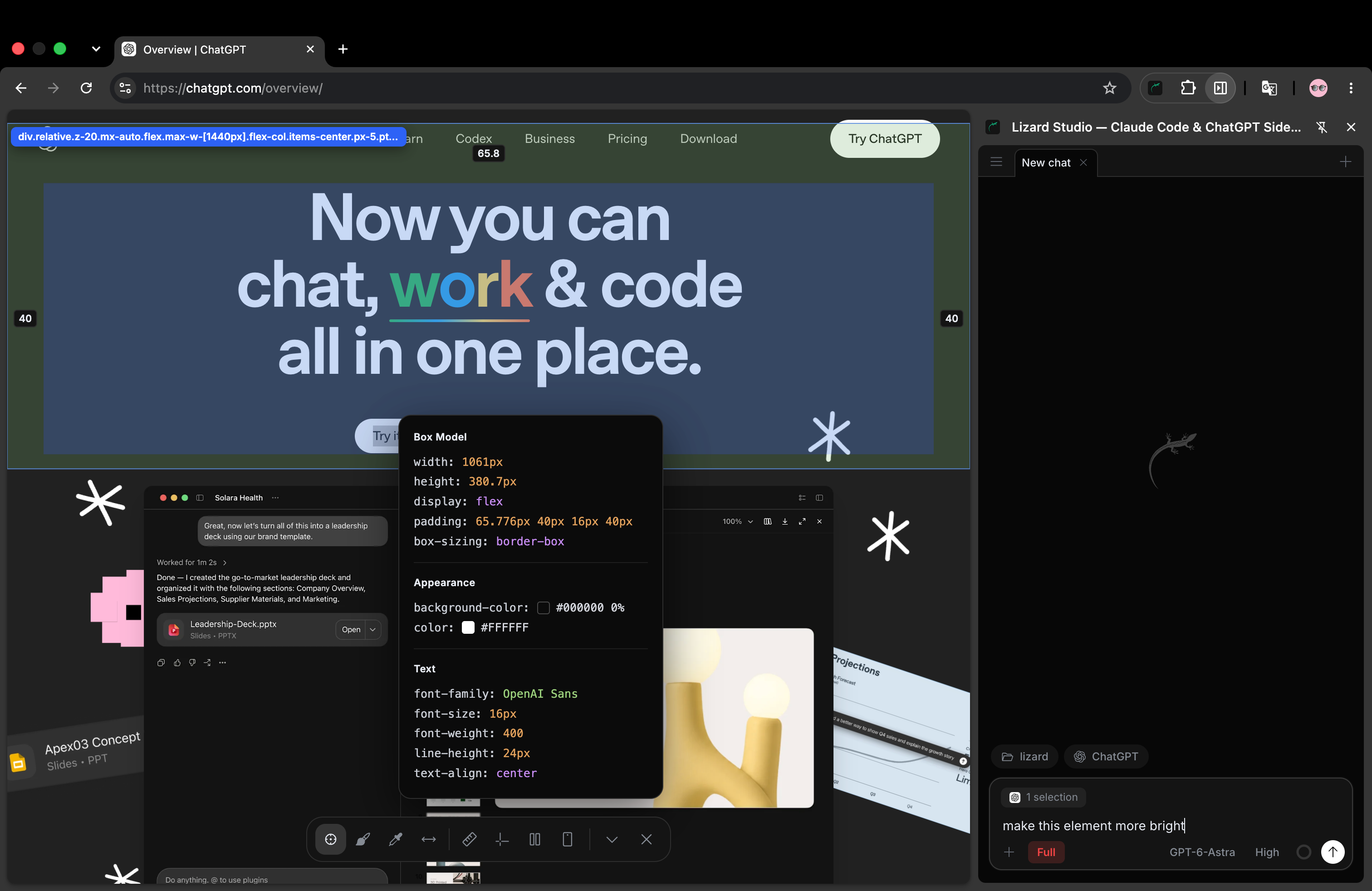
Chrome with Lizard Studio: the page, inspector and chat stay in one window. This screenshot shows the ChatGPT connection.
A visual editor for Claude Code should help you identify the part of a page you want to change and check the result in the source. In Lizard Studio, you select an element in Chrome, attach it to a chat and ask Claude Code to edit your local project. The browser stays beside the conversation so you can inspect the outcome.
This guide uses a small spacing exercise with a result you can measure: change the gap between two buttons from 4px to 24px. You will check the source diff, refresh the page and inspect the gap again. It is a reproducible exercise, not a performance benchmark or a claim about how quickly an agent will finish your project.
We build Lizard Studio. Its extension and host are free and MIT licensed; your AI provider's account requirements and usage charges still apply. Complete the setup guide before trying the agent steps below.
What visual editing means here
Lizard Studio uses an element selector and design tools to give the agent context. You describe a source change; Claude Code makes the file edit. This workflow differs from manually dragging an element and expecting the editor to write the corresponding CSS immediately.
The selector can identify the target on the page. An annotation can show an issue that covers a larger area. Rulers, distance measurements and responsive preview help you check a layout. The local agent connects that page context to your project files. The README lists the tools and connection requirements.
If direct drag-and-drop editing is your main requirement, compare the controls before choosing a tool. This exercise tests selecting an element, requesting a change and reviewing source code.
Download the example
You need Python 3 for the small static server used here, Chrome, Lizard Studio and a signed-in Claude Code installation. For an existing app, use its normal development server instead.
Create an empty folder for the exercise. Download spacing.html into it using your browser's Save page as command, or run this from the folder:
curl -fsS https://lizard.build/studio-examples/spacing.html -o spacing.html
python3 -m http.server 4175 --bind 127.0.0.1
Open http://127.0.0.1:4175/spacing.html in Chrome. Leave the server running while you work. If port 4175 is in use, choose another port and use that number in the URL.
The page has two sample buttons with no actions. Their row intentionally uses this CSS:
.actions {
  display: flex;
  flex-wrap: wrap;
  gap: 4px;
  margin-top: 24px;
}
Choose this folder in Lizard Studio so the agent can edit spacing.html. Opening the example on lizard.build only shows the published exercise; changing your downloaded copy requires the local URL.
Select the row you want to change
Start a Claude Code chat in the side panel. Use Selector and attach the .actions row that contains both buttons. If you select one button by mistake, select its parent row or explain that the row's gap is the target.
You can ask for a read-only check before editing:
Inspect the selected action row. Report its computed gap and the
local file that defines it. Do not change any files yet.
The initial gap should be 4px. The source is the stylesheet inside your downloaded spacing.html. If the agent reports another file or page, correct the project folder or browser tab before requesting an edit.
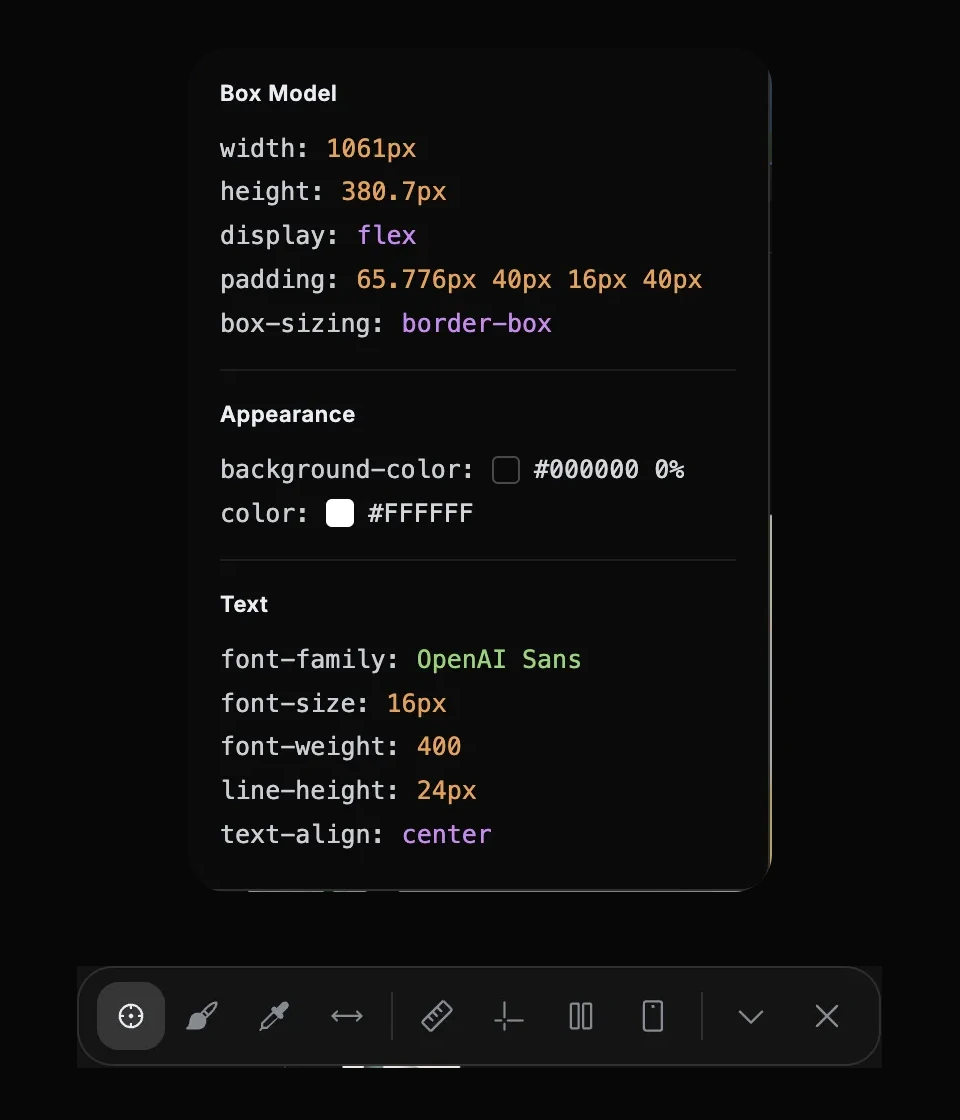
Crops from the Lizard Studio interface show the style inspector and page toolbar. These values belong to the selected element on the ChatGPT overview page; the spacing exercise uses a separate local file.
Ask for a small source edit
Send the selected row with a request that states the result and the scope:
Set the selected action row's gap to 24px in spacing.html.
Keep the button labels, colors and card margin unchanged.
Show the source diff. Refresh the page and check that the
computed gap is 24px.
Review the agent's proposed edit. The relevant change should be equivalent to:
- .actions { display: flex; flex-wrap: wrap; gap: 4px; margin-top: 24px; }
+ .actions { display: flex; flex-wrap: wrap; gap: 24px; margin-top: 24px; }
The agent may reformat the stylesheet. Check the actual declarations rather than requiring the same line layout as this example. There should be no reason to change either button label or the .card rule for this task.
Use your session's permission controls to approve the intended edit. A narrowly scoped request makes the diff easier to judge, but it does not replace reviewing the result.
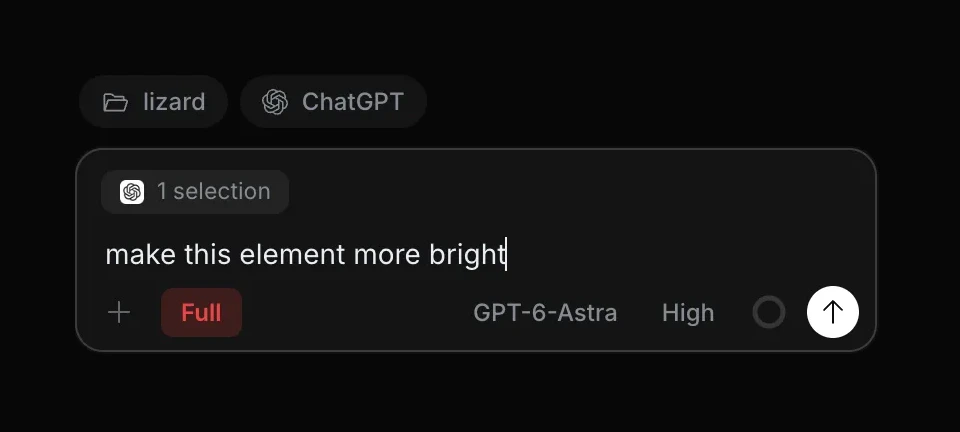
The real request field shows an attached element as “1 selection.” This screenshot uses ChatGPT and a brightness request; for this exercise, choose Claude Code and use the spacing request above.
Verify the page after a refresh
The Python server does not provide hot reload. Refresh Chrome after the file changes, then ask the agent to inspect .actions again.
You can also check the computed value in Chrome DevTools:
getComputedStyle(document.querySelector('.actions')).gap
// Expected: "24px"
Check both desktop and a narrow viewport. The sample row uses flex-wrap: wrap, so buttons can move onto another line when space is limited. At each width, confirm that the page has no horizontal overflow and both labels remain visible.
Use this acceptance checklist:
- The local source contains
gap: 24pxfor.actions. - A page refresh preserves the new gap.
- The button text and colors stay unchanged.
- The
.cardmargin stays32px. - The page remains usable at a narrow width.
If the project uses Git, read git diff. For this standalone file, your editor's comparison view can show the same change. The exercise is complete when the file and browser agree.
Why a change can disappear
A browser tool can change the live DOM or add an inline style without changing any project file. That can help preview an idea, but the browser loads the original source again on refresh.
If the result disappears, ask the agent which file it edited. Check that the browser uses the local server and that the selected folder contains the served file. An app can also have a more specific CSS rule or inline style that overrides the edited declaration.
For React or another framework, the source may be a component, CSS module or utility class rather than a standalone stylesheet. Ask the agent to find the rule that owns the spacing. Avoid a global button rule when only one action row needs to change.
Use the same method for a real UI issue
Choose an issue with a result you can describe: a card that overflows at a stated width, a heading that should wrap to fit its container or a button row with the wrong alignment. Attach the relevant element or annotated screenshot, then state what should remain unchanged.
For a behavior bug, ask the agent to reproduce the action and inspect console and network output. A screenshot cannot show whether an event handler ran or a request failed. Lizard Studio includes those browser tools; the comparison with Claude in Chrome explains the different setups.
You can also run the exercise with ChatGPT in the side panel. Keep the same starting file and acceptance criteria if you want to compare the two agents. Record failed attempts and clarifications, and avoid drawing speed claims from a single run.
Common questions
Does Claude Code need a screenshot to edit CSS?
A screenshot can help explain a visual problem. In this workflow, the selected element and live page inspection add DOM and style context, while the local folder supplies the source. Use the inputs that help identify your specific issue.
Can I edit any website permanently?
You need access to the source project to keep a source change, and you need to deploy it to update a live site. Inspecting a third-party page does not grant either permission or repository access.
Is this a replacement for my editor?
You can keep using your editor for code and diffs. Lizard Studio supplies the browser side panel and page tools. Compare the other interface choices in the Claude Code GUI guide.
Where do I start if the panel does not connect?
Follow the installation and troubleshooting guide. Check the local host, your agent login and the chosen project folder before testing a source edit.
Build with AI. Ship with Lizard.
You don't need a platform team to go live. Your whole cloud, one CLI command away.
- Services
- —
- Add-ons
- —
- Deployments
- —
- Sandbox starts
- —