
Cheap Postgres Hosting: What Small Databases Really Cost


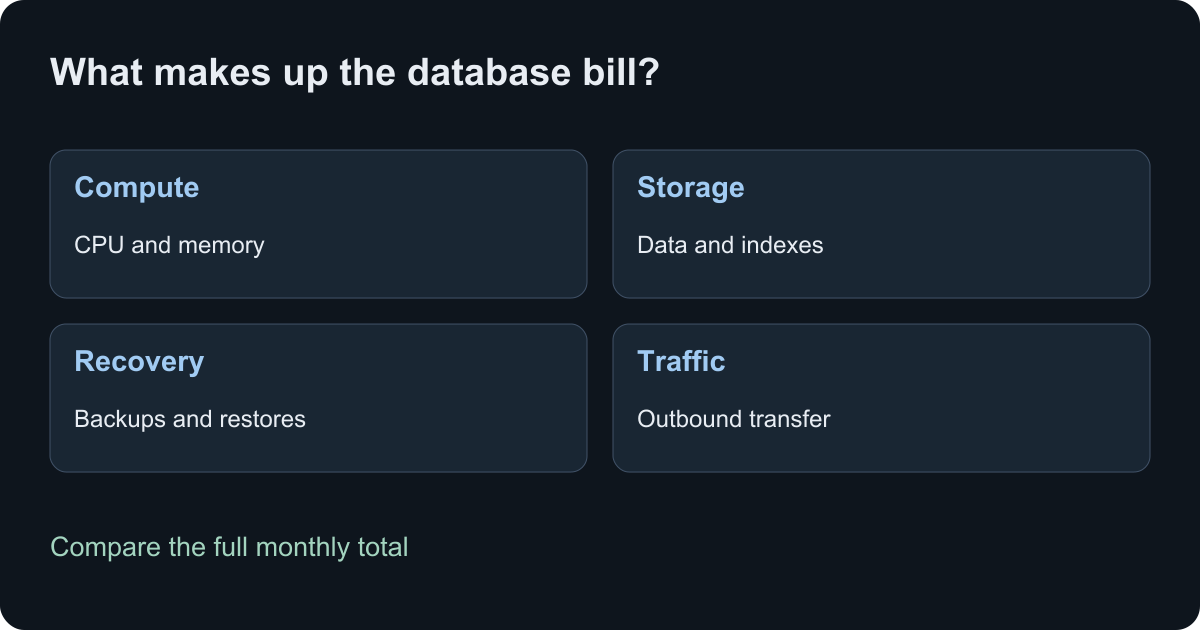
Cheap Postgres hosting can cost $0 for a small project that fits a free plan. For a database that must stay available, compare the monthly minimum, compute, storage, backups and traffic together. A low starting price tells you little until you know which of those costs it includes.
This guide compares six hosts for side projects, small APIs and early products. It includes two worked cost examples and a short checklist for choosing a database you can afford to keep running.
Prices checked September 30, 2026. Amounts are in USD before tax unless stated otherwise; Lizard's prices include tax. Lizard publishes this guide and appears in the comparison. We checked official pricing and documentation; the calculations below use stated assumptions and do not measure performance across providers.
Cheap Postgres hosting at a glance
| Host | Entry price or billing model | What to check before choosing |
|---|---|---|
| Neon | Free; Launch charges $0.106 per CU-hour and $0.35 per GB-month, with no monthly minimum | Free storage and compute limits; active hours; restore history costs |
| Aiven | Free; Developer starts at $5/month | 20 connections and no built-in pooling on Free/Developer; limited region choice |
| Supabase | Free; Pro starts at $25/month with one Micro instance covered by compute credits | Extra projects, compute upgrades, egress and paid recovery options |
| Railway | Hobby costs at least $5/month, which counts toward resource usage | App and database share the allowance; storage, traffic and backups add usage |
| DigitalOcean | Single-node Postgres starts at $15/month in its documentation | Entry plan has 1 GiB RAM; high availability requires a larger primary and a standby |
| Lizard | Pro costs $19/month and includes $19 of usage; then measured CPU, memory, storage and egress | A running database still uses resources when idle; budget for recovery separately |
These are entry points, not prices for equivalent hardware or service levels. Check the configuration and region in the provider's order screen before committing. Free plans and temporary signup credits also serve different purposes: only the former can remain free within their limits.
Which host fits a small database?
Neon: a database that can suspend between requests
Neon suits apps with quiet periods and teams that use database branches. Its Free plan includes 0.5 GB of storage and 100 CU-hours per project. Compute suspends after five minutes of inactivity; paid plans offer more control over that behavior. A CU-hour measures compute size multiplied by running time. Suspended compute uses no CU-hours, while paid storage continues to accrue charges. See Neon's pricing.
Use the smallest compute setting that meets your workload, then check how often it actually suspends. A worker that polls frequently can change the cost even if few people visit the app. Measure the first request after a quiet period too.
Aiven: a small free database, with an always-on upgrade
Aiven's Free plan provides one node with 1 CPU, 1 GB RAM and 1 GB storage, plus backups. It can power off inactive services and has no availability SLA. Both Free and Developer limit PostgreSQL to 20 connections and exclude built-in connection pooling.
The Developer tier keeps inactive services running, offers up to 8 GB storage and adds Basic support. It suits a personal project that needs more room. Check its networking and location restrictions: you cannot choose a specific cloud provider or region on this tier. Use an application connection pool sized below the database's limit.
Supabase: useful when the app also needs Auth and Storage
Supabase combines Postgres with services such as Auth, Storage and Realtime. Free includes a 500 MB database and permits two active projects, but inactive projects pause after a week. Automatic backups are not part of Free.
Pro starts at $25 per month. Its $10 compute credit covers one Micro instance; adding another Micro project increases the usual starting total by $10. Pro includes daily backups with seven days of retention, while point-in-time recovery costs extra. These details come from Supabase pricing.
Choose it when the surrounding app services save you work. For a single database, compare the full Pro bill with hosts that charge only for that database.
Railway: app and Postgres in the same project
Railway's Hobby subscription contributes $5 toward the month's resources. A $3 resource bill still costs $5; an $8 resource bill costs $8 total. Count your application and database together when estimating that usage. Railway pricing explains the allowance and resource rates.
Railway's Postgres documentation describes its templates as unmanaged: you control configuration and maintenance. Native backup controls are available, and external database connections through its TCP proxy incur egress charges. Set up backups and inspect their cost before treating the first database deployment as finished.
DigitalOcean: a clear entry price, with separate HA costs
DigitalOcean documents a $15 monthly starting price for single-node Postgres with 1 GiB RAM. That entry plan is not highly available. Its HA configuration begins with a $30 primary and at least one matching $30 standby, so the documented starting total is $60 per month. Additional storage can add charges. See Postgres pricing and cluster types.
This distinction matters more than a small price difference between entry plans. If the app needs a standby, compare the cost of configurations that include one. Confirm the final region quote and recovery features for the plan you choose.
Lizard: measured usage inside a $19 plan
Managed Postgres runs beside your app in a Lizard project. Lizard Pro costs $19 a month, taxes included, and covers the first $19 of usage across your apps and databases; above that, you pay as you go. There is no separate database subscription. New accounts get a 7-day trial with $5 of usage; a card is required. The pricing page lists the current CPU, memory, storage and egress rates.
A database can consume memory and disk while it receives no queries. Also, persistence alone does not provide scheduled backups, point-in-time recovery or high availability. The storage and recovery guide explains what to confirm and how to plan a separate restore path. Include those requirements in your budget.
Calculate a monthly cost from your workload
Write down the inputs before comparing totals. Use the same time period, keep storage units consistent and list the costs you have left out. These examples explain two billing models; they do not claim equivalent performance or recovery guarantees.
Example 1: Neon Launch with quiet periods
Assume a database uses 0.25 CU whenever active, stores 1 GB throughout the month and stays within the included public transfer allowance. Using the published Launch rates:
| Active compute time | Compute calculation | Storage | Subtotal |
|---|---|---|---|
| 100 hours | 0.25 × 100 × $0.106 = $2.65 | $0.35 | $3.00 |
| 720 hours | 0.25 × 720 × $0.106 = $19.08 | $0.35 | $19.43 |
This subtotal excludes restore history, snapshots, extra branches, other services and tax. The 100 hours must include all time the compute stays active, including the delay before it suspends. It is not the sum of query execution times. The example uses Launch because 1 GB exceeds the Free storage limit.
Example 2: a small database on Lizard
Assume 30 days, or 2,592,000 seconds, with average measured usage of 0.02 vCPU and 0.25 GB memory, 1 GB of used disk throughout the month, and 1 GB of billed egress. Apply the published resource rates:
| Resource | Calculation | Cost |
|---|---|---|
| CPU | 0.02 × 2,592,000 × $0.000006948 | $0.36 |
| Memory | 0.25 × 2,592,000 × $0.000003474 | $2.25 |
| Disk | 1 × 2,592,000 × $0.000000054 | $0.14 |
| Egress | 1 × $0.045 | $0.05 |
| Total, calculated before rounding | Sum of the four unrounded amounts | $2.80 |
This is an estimate from assumed usage, not a quoted plan or a measured customer bill. It excludes the app and backup storage. Memory is the largest part of this example. Replacing the inputs with 0.05 vCPU, 0.5 GB memory, 5 GB disk and 10 GB egress produces about $6.55 for the same 30 days.
Both figures are usage. Each fits inside Pro's $19 of monthly usage, so the database alone bills $19 a month, and your app's usage counts toward the same $19. For one small database that suspends often, the Neon example costs less ($3.00); kept active all 720 hours, it costs $19.43.
Measure a representative week, including scheduled jobs and busy hours, then revise the estimate. Allow for growth and one-off migrations.
Check these costs before you move data
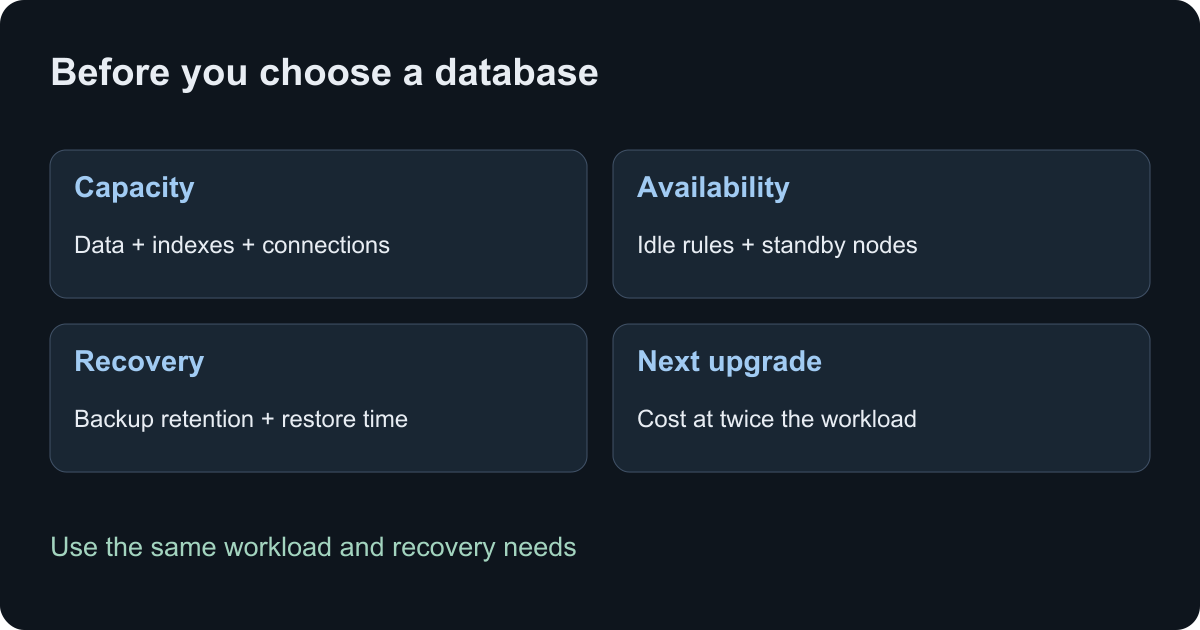
Storage growth. Count indexes and database overhead as well as table data. Leave space for maintenance and imports. A free storage limit that fits today's dataset may stop fitting after one feature release.
Connections. Multiply the connection pool size by the number of app instances and workers. Several small pools can exhaust a small database. Check which connections the host reserves and whether your framework supports its pooling mode.
Recovery. Decide how much recent data you can lose and how long the app can remain unavailable. Daily backups and point-in-time recovery meet different needs. PostgreSQL documents SQL dumps, filesystem backups and continuous archiving in its backup and restore guide. Test a restore into a separate database and record the elapsed time.
Traffic and location. Put the app and database near each other. Cross-region queries add network delay, and either provider may charge for transfer. A free database can still increase the bill of the app that calls it.
The next plan. Price the upgrade you would need at twice the data size or traffic. Check whether the next step requires a new subscription, larger compute, more storage or another node. Include staging and preview databases in that count.
Is a cheap VPS a better deal?
A VPS gives you control over the database and the machine. It can suit someone who already operates servers and can share spare capacity with a small Postgres instance. The server invoice is only one part of the decision.
Budget for patching, monitoring, off-server backups, disk alerts and recovery time. If the application and database share one server, account for their combined memory use and the effect of a host failure on both. A snapshot on the same account also needs a tested restore procedure.
Choose a VPS because you can manage those duties and have priced them. If you need the provider to handle them, compare managed services with the required features included.
Start small and confirm the result
For a learning project, first check whether a free plan's storage, activity and connection limits fit. For an app with users, write down the recovery and availability requirements, then price the smallest configuration that meets them.
If you choose Lizard and already have a project linked, check the target and add Managed Postgres:
lizard status --json
lizard add postgres --json
The Managed Postgres guide covers linking the connection string to an app and checking connectivity. Budget for the app separately. If an AI agent needs database access, follow the Postgres MCP tutorial to create a role with only the permissions it needs.
Common questions
Can I host Postgres for free?
Yes. Neon, Aiven and Supabase offer free plans with different limits. Check storage, compute or activity rules, connections and backups. Signup credits for a paid service are temporary and should not determine the long-term budget.
What is the cheapest paid Postgres host?
There is no single cheapest host for every workload. An intermittent database can benefit from suspended compute; a busy database may suit a fixed plan. Compare the full cost of the capacity, region and recovery features you need using the examples above.
Does managed Postgres always include backups and high availability?
No. Read the selected plan's recovery and availability terms. Confirm the backup schedule, retention, restore controls and standby configuration. Keep a tested export and restore path for data you cannot recreate.
How do I avoid a surprise database bill?
Track compute time, memory, storage and outbound traffic. Check the provider's spending controls and what happens when a limit is reached. Review costs after adding workers, replicas or preview environments; each can change usage even when your user count stays flat.
Build with AI. Ship with Lizard.
You don't need a platform team to go live. Your whole cloud, one CLI command away.
- Services
- —
- Add-ons
- —
- Deployments
- —
- Sandbox starts
- —