
Claude Code sandbox: built-in isolation, Docker and cloud


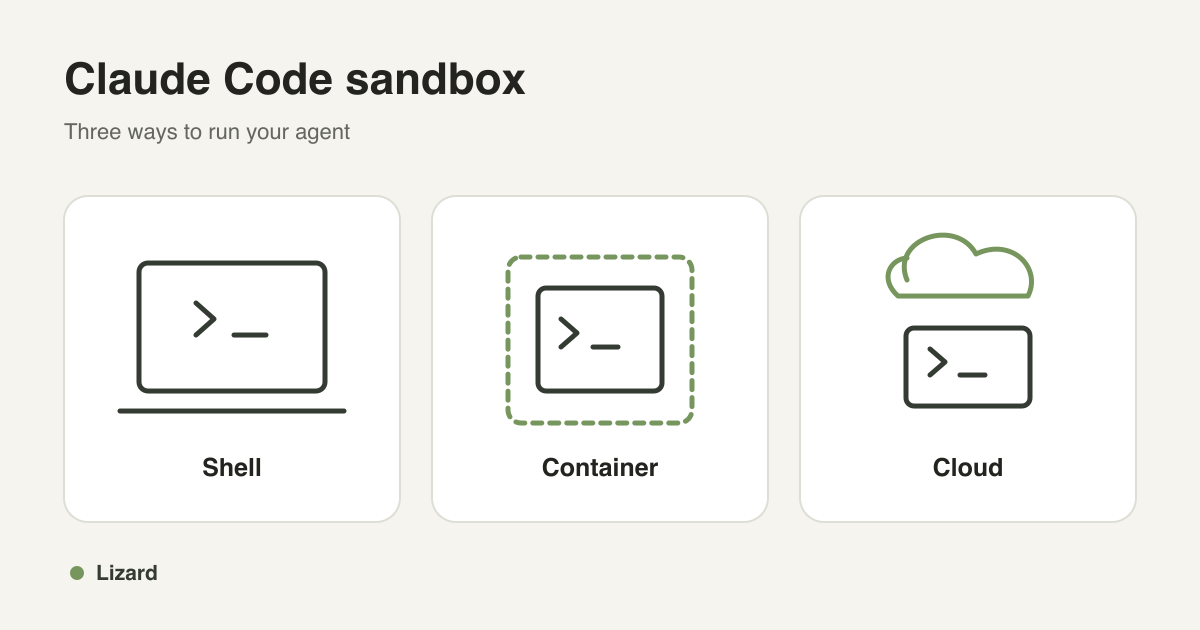
A Claude Code sandbox limits what the agent can access while it works. You can enable the built-in shell sandbox with /sandbox, run Claude Code inside a Docker container, or give it a separate cloud machine. The right choice depends on which files, processes and credentials the session needs.
For local work, start with the built-in sandbox. For a repeatable development setup, use a dev container. For remote jobs or several agents working at once, a cloud sandbox gives each task its own workspace.
What does the built-in Claude Code sandbox protect?
Claude Code uses operating system controls to restrict its shell tool and the processes that tool starts. It uses Seatbelt on macOS and bubblewrap on Linux. The sandbox can limit writes to files and restrict network access through an allowed-domain proxy.
That scope matters when you add tools. Claude Code's built-in file tools, hooks and local MCP servers sit outside the shell sandbox. To contain the whole agent process and its local tools, run them inside a container, a virtual machine or a separately configured sandbox runtime. A remote MCP service still has whatever permissions you gave that service. See the Claude Code sandboxing documentation.
| Setup | What it contains | What you still need to control |
|---|---|---|
| Built-in Claude Code sandbox | Shell commands and their child processes | File tools, hooks, MCP services, readable paths and allowed domains |
| Docker dev container | Processes and files inside the container | Host mounts, Docker socket access, privileges and network policy |
| Cloud workspace | Agent processes on a separate machine or runtime | Uploaded data, credentials, network access and the workspace's actual isolation boundary |
Enable Claude Code sandbox mode
On macOS, Claude Code uses the system's existing sandbox support. On Linux or WSL2, install the required packages first. For a Debian or Ubuntu system:
sudo apt-get install bubblewrap socatStart Claude Code in your project and enter:
/sandboxChoose the mode that fits your review process. Auto-allow mode lets sandboxed shell commands run without an approval prompt. Regular permissions keep the usual approval flow while the shell sandbox stays active. Native Windows needs WSL2 for this sandbox. The setup guide lists platform requirements and restrictions.
For a session that must keep shell commands inside the sandbox, start Claude Code with:
claude --settings '{"sandbox":{"enabled":true,"allowUnsandboxedCommands":false,"failIfUnavailable":true}}'allowUnsandboxedCommands: false disables the escape path for commands that would otherwise run outside the sandbox. failIfUnavailable: true makes startup fail if sandbox support is missing. Review any excluded commands in your settings as well. File reads remain broad by default; add read restrictions if the session must not see files elsewhere on your machine.
Check the boundary before a long run
Ask Claude to execute these commands through its shell tool:
touch ~/sandbox-probe
curl --noproxy '*' https://example.com
Run the test from a project folder below your home directory. With the intended restrictions, the first command should fail because it writes outside that project. The second tests whether a command can bypass the network proxy. It should fail when direct network access is blocked. A permitted request through the proxy can still succeed.
Have Claude execute the checks. Typing a command manually in a separate terminal does not test the agent's shell sandbox.
Sandbox mode, auto mode and skipping permissions
Permission modes decide when Claude asks for approval. Sandboxing controls what the operating system lets a command do.
Claude Code's auto mode uses a classifier to decide which actions can proceed. That differs from the shell sandbox's auto-allow mode. Check permission modes before changing either setting.
--dangerously-skip-permissions bypasses routine permission prompts. It does not create a container, restrict file access or set a network policy. Explicit deny rules and some checks can still apply. If you use it for unattended work, configure and test the surrounding isolation first. Our guide to dangerously-skip-permissions covers that workflow.
Run Claude Code in Docker
A dev container gives the team the same starting environment and keeps the agent's processes inside a container. Install Docker and use an editor with Dev Containers support. Add this file at .devcontainer/devcontainer.json in your project:
{
  "image": "mcr.microsoft.com/devcontainers/base:ubuntu",
  "remoteUser": "vscode",
  "features": {
    "ghcr.io/devcontainers/features/node:1": {
      "version": "22"
    },
    "ghcr.io/anthropics/devcontainer-features/claude-code:1.0": {}
  }
}
Open the project in the container, let it build, then run claude in its terminal and sign in. This configuration installs Claude Code and Node.js 22. Add any other runtimes and dependencies your project needs. The feature version does not pin the Claude Code release it installs.
We tested a clean build of this exact configuration. Claude then fixed an intentionally failing Node.js test, and a separate node --test run passed. Explicitly including the Node.js feature matters: our first clean build with only the Claude Code feature failed while installing Node.js and npm.
Check the mounts before handing the agent work. A writable project mount lets it change the files on your host. Avoid mounting your home directory, production credentials or the host's Docker socket. This minimal config does not add a network allowlist. See Anthropic's dev container guide and Docker's security documentation for the controls your setup needs.
Docker containers and Docker Sandboxes differ
Docker also offers a product called Docker Sandboxes. Its documented architecture uses microVMs and an isolated Docker daemon. An ordinary dev container does not gain those properties just because it uses Docker. Workspace synchronization also depends on the Docker Sandboxes mode you choose. Read its architecture and security model before treating the two setups as equivalent.
When a cloud sandbox helps
A remote workspace helps when the task must keep running after your laptop disconnects, when agents need separate working trees, or when your application creates a workspace for each user. You can copy in a repository, run the agent, inspect its changes and retrieve the files you want to keep.
Lizard Sandboxes runs each sandbox as a Firecracker microVM with its own kernel.
A separate machine keeps the job away from files you have not shared from your laptop. Credentials and files you do put inside that machine remain available to code running there. Set their scope to match the task.
Run Claude Code in Lizard Sandboxes
Install Lizard CLI, sign in and choose a project. You need an Anthropic API key or a supported Claude subscription token for the model calls.
To register an Anthropic API key, run:
lizard agents add anthropicFor a Claude subscription, create a token and register it with Lizard CLI:
claude setup-token
lizard agents add claude
Paste the credential at the prompt. Keep it out of your repository and command history. The commands below assume registration has succeeded; our live test used an existing Claude subscription token.
Create the workspace
Replace YOUR_PROJECT_ID with your project ID:
lizard sandbox create \
  --project YOUR_PROJECT_ID \
  --template claude \
  --size small \
  --timeout 3600000 \
  --json
Set SB to the sandbox ID in that response:
SB=YOUR_SANDBOX_IDThe timeout here gives the workspace a one-hour lifetime. The default is five minutes, and running commands does not extend it. Set enough time for the job and save your work before it expires. See the CLI reference for lifecycle commands.
Copy a committed repository without a GitHub token
From the local repository, create a Git bundle and upload it:
BUNDLE_DIR=$(mktemp -d)
git bundle create "$BUNDLE_DIR/app.bundle" HEAD
lizard sandbox files put \
  "$SB" "$BUNDLE_DIR/app.bundle" /workspace/app.bundle
lizard sandbox exec "$SB" -- \
  git clone /workspace/app.bundle /workspace/app
The bundle includes committed history reachable from HEAD. It excludes uncommitted and untracked files, but any secrets committed in that history still travel with it. Review the repository before transferring it. Cloning this bundle can leave the checkout at a detached HEAD; you can still inspect the agent's edits and export changed files.
Give Claude a small task
lizard sandbox prompt "$SB" \
  --agent claude \
  --cwd /workspace/app \
  "Run the tests. Fix one failing test with the smallest reasonable change. Report what changed and which tests passed."
Keep --agent claude: omitting the agent option can select the default agent instead. The Lizard runner uses permission bypass inside the remote workspace so the task can run without interactive prompts. The workspace boundary and the credentials you provide therefore need to match the task. Code inside it can read the model credential available to the process.
In our test, a Python function subtracted two numbers when its test expected their sum. Claude changed that function, and an independent test run passed afterward.
Review and retrieve the result
lizard sandbox exec "$SB" -- \
  git -C /workspace/app status --short
lizard sandbox exec "$SB" -- \
  git -C /workspace/app diff
lizard sandbox files get \
  "$SB" /workspace/app/path/to/changed-file ./changed-file.review
Replace path/to/changed-file with the file you want to download. Run the project's tests yourself before merging the changes. We checked the remote diff, reran the test and downloaded the corrected file; its contents matched the remote result.
When you have saved the result, pause the workspace:
lizard sandbox pause "$SB"Wait until its status is paused. Successful pause stops compute billing. Export work before removing a sandbox, and use Persistent Volumes when data must survive the sandbox's deletion. Stored data can still incur charges.
What does the cloud workspace cost?
Lizard's published compute rates on 18 October 2026 were:
| Size | CPU and memory | Compute per hour |
|---|---|---|
| Small | 2 vCPU, 4 GB | $0.0162 |
| Medium | 4 vCPU, 8 GB | $0.0324 |
| Large | 8 vCPU, 16 GB | $0.0648 |
At the Small rate, 100 sandbox-hours consume $1.62 of compute usage. Model calls, storage and any other billed resources are separate.
Lizard Pro costs $19 a month, taxes included, and includes $19 of usage. Usage above that amount is pay as you go. New accounts get a seven-day trial with $5 of usage; a card is required. Claude subscription or Anthropic API charges are separate from Lizard charges. Check the current pricing before sizing a job.
A running sandbox still consumes compute while idle. Pause it successfully when you are done; Persistent Volumes storage can remain billable while compute is paused.
Common setup problems
| Problem | What to check |
|---|---|
| Native sandbox cannot start on Linux | Install bubblewrap and socat, then restart Claude Code. Check the host's namespace restrictions. |
| A needed domain is blocked | Add only the required host to the allowlist and retry through the proxy. |
| bubblewrap fails inside a container | Nested sandboxing depends on the host and container configuration. Follow the supported setup rather than silently disabling isolation. |
| Host files change during a Docker run | Check writable mounts. A mounted repository shares those edits with the host. |
| The wrong agent starts in Lizard | Pass --agent claude explicitly. |
| A cloud job ends before it finishes | Set a suitable lifetime and save results before expiry. Commands do not reset the lifetime. |
What we tested
On 18 October 2026, we ran Claude Code 2.1.286 on macOS and in a fresh Small Firecracker sandbox through Lizard CLI 4.0.58. The macOS check allowed a workspace write and blocked both a write outside the project and a direct network request that bypassed the proxy.
The cloud test covered Git bundle upload, cloning, Claude fixing a failing Python test, an independent test rerun, diff review, file download and pause. We confirmed the sandbox reached paused.
The Docker test used Docker Engine 28.1.1 on ARM64, Dev Containers CLI 0.89.0, Node.js 22.23.3 and Claude Code 2.1.302. The corrected config built from a clean container, and Claude fixed a failing Node.js test that passed on a separate rerun. We also verified the Linux package installation command.
Authentication used an existing Claude subscription token. We did not repeat initial OAuth enrollment or test native Windows/WSL isolation. These checks cover the commands and outcomes described here; they are not a security audit.
Which setup should you choose?
Start with the built-in Claude Code sandbox for local shell tasks where you can define the needed paths and domains. Use a dev container when your team needs a shared development setup. Choose a cloud workspace when tasks need remote compute or separate environments for concurrent agents.
For a first Lizard run, copy a small repository, ask Claude to fix one failing test, review the diff and pause the workspace. The Claude Code guide has the current setup steps.
Build with AI. Ship with Lizard.
You don't need a platform team to go live. Your whole cloud, one CLI command away.
- Services
- —
- Add-ons
- —
- Deployments
- —
- Sandbox starts
- —